Wir verwenden Cookies, um unsere Website optimal für Sie zu gestalten. Mit dem Bestätigen des Buttons "Akzeptieren" stimmen Sie der Verwendung von Cookies zu. Durch Anklicken der untenstehenden Checkboxen können Sie auswählen, welche Cookie-Kategorien Sie zulassen möchten. Durch Klicken auf die Schaltfläche "Mehr anzeigen" erhalten Sie eine Beschreibung jeder Kategorie. Weitere Informationen finden Sie in unserer Datenschutzerklärung.
Notwendige Cookies helfen, eine Website nutzbar zu machen, indem sie grundlegende Funktionen wie die Seitennavigation und den Zugang zu sicheren Bereichen der Website ermöglichen. Ohne diese Cookies kann die Website nicht ordnungsgemäß funktionieren.
Präferenz-Cookies ermöglichen es einer Website, sich Informationen zu merken, die das Verhalten oder Aussehen der Website verändern, wie z.B. Ihre bevorzugte Sprache oder die Region, in der Sie sich befinden.
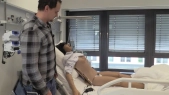
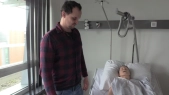
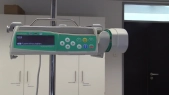
So, this is our New Nursing N, New Simulation Nursing N. I will show you where you can see them. They are on the right side of the Nursing N. The Stecker, the one is here, the Stecker, the one is like all electronic devices and equipment in the Lerdal-Kit. Also, just the other way, He will then put the side of the lid on the side. Thank you. Then it lights up, I'm going to turn it on and press the button. And then there is for the vital sign monitor a The data cable is the right side. I will also put it in the same place. The Nursing N is activated. It is a little bit of a light. If the light is blue, it is connected to the WLAN. The communication of the device is important for the device. For the entire Lerdal-Geräte and our new Nursing-N Simulator, we have this SimPad+ Steuerelement. This is the same thing that you can do here. I have done that already. It starts and then connects with the same Simulator. I can see that the light is blue. Then there is a connection between WLAN. For us important are now the manual mode and the "Einstellungen" By the settings, here is the simulator. Here I can see the Simulator verbunden. If we have other Simulators now, they would also appear here as a Reiter. And I could use them with a SIN-Pad. We have now one This is our new nursing N simulator. This is a connection that shows that it is connected. The other things are WLAN-Verbindungen We have now just one shown here, with which the devices communicate together. Flugmodus, details for the SYN-Pad. is here indicated different data for the SIM-Pad *thud* It's not interested in us, but it's not interested in us What can I do with the Nursing Simulator? I click on the manual mode. - - I see also, if the device is verbunden here. You can see some symbols here. If it wasn't verbunden, would be here a Kreuz. Another quick explanation to the SIM-Pad. It has a few buttons, so the one-Ausschalt-Knopf. Here on the side is the microphone button. I have to hold the microphone button on the side. can hear or can. Here in the bottom is a data cable, a mini-USB-Anschluss and of course also a netz-Anschluss. So, now I'm here in the manual mode. There are different scenarios for breathing. We are now just healthy, so healthy. vital-werte angegeben. I can give here the training-einheit and how many members have taken teil. We don't do that, I just go to OK and then appears here this image with the vital value Start Symbol zum Starten und hier unten ein Reiter mit verschiedenen I can make some opportunities, for example, if I go to the heart, there is everything that has to do with the Kreislauf, EKG-Rhythmus, the heart frequency, I can set this with a Schieber, You can click on "activieren" and click on "activieren". We don't need it. Yeah, different things. Pulse, Temperature, that we do not do it, we do it now, so as it is. And I go to Start. Then you can see that the Nursing N starts. She blinzelt. and is now practically in the active mode. Okay. Um the Vital Parameter to show um I'll go back again. You can go to the menu menu. Then here on the patient monitor And here these parameters to activate. That must be done every single new. It's not so that if I have activated it, that it is speichered, but that must be done every single new. Then we can go back again. I'm in active mode and can manipulate it. For example, the frequency of the Artenfrequence, that can also be used to Messschieber machen, dann könnte ich jetzt hier auf Aktivieren gehen, wenn ich es meinetwegen deutlich erhöhe. That's not what we do. I can set the Lungeräusch. I can set a spontaneous movement of the Buskorb. That's what I can do. You can see and then the rest of our nursing home is held by our way. Exactly. Ferner, gibt es noch ein um, where you can see Awww. You can change the image here completely open, you can the frequency of the lead-slic can change. I can set the noise in the air. - Yeah. You can activate simple tones like "Husten" *cough* Or stöhnen. And, ja, schreien. *Sie schreien* Gut. And here is another function, where the sound is the same way to hear from the lungs, or the heart attack Or... Here is the sound of the microphone. or manipulate. *sigh* Then there is a button where the details are listed. um, Exactly. You can always add a comment to the person, if someone or someone else uh... active and that can be commented on what here was done in the jeweiligen situation. It is also always selected. If I just go to "Beenden" then, if it's a half hour or a hour, it is then being called "Abruchbar". If I want to finish everything, I go to the menu again on training Here at the bottom of the screen. Yeah. Then you can see that the nursing-puppet is inactive. If I want to see what I did, I can go to the protocol. That's the button here. There are all Yeah. There are also active scenarios that are carried out. The last one was here. The last one was here. on the green button I can see here the patient monitor. I press on. Kino. And when... *gunshot* *gunshot* So, let's go. So, let's go. So, let's go. So, let's go. So, let's go. So, let's go. So, let's go. So, let's go. *crash* So so so So, let's go. So, let's go. So, let's go. So, let's go. So, let's go. So, let's go. So, let's go. So, let's go. So, let's go. So, let's go. So, let's go. So, let's go. - *click* *gunshot* *Rainful music*